Embedded CSV importer for B2B SaaS — and every format beyond: Excel, PDF, XML, API
The moment a new user tries to bring their data into your product is one of the most critical moments in your onboarding. It is often the first real interaction with your system, and it sets the tone for everything that follows.
Too often, it goes like this: a file upload button, a template to download, a list of formatting requirements. The user spends an hour reformatting their spreadsheet. Sometimes it works. Sometimes it fails with a cryptic error message. Sometimes they just leave.
This is not a file upload problem. It is a format multiplication problem, and it is fixable.
This is what an embedded CSV importer for B2B SaaS solves — and, alongside CSV, every format users actually send: Excel, PDF, XML, and API payloads. Not a generic file upload button, but an import layer that understands your schema, maps incoming fields automatically, and gives your users immediate feedback, without leaving your product.
Data import is part of your product experience
When users join your platform, one of the first things they need to do is bring their data in. Their customer list. Their product catalog. Their transactions. Whatever they have been managing elsewhere before switching to you.
This step is not a technical detail. It is part of your onboarding, your activation rate, and your time-to-value. If this step is painful, users leave before they ever experience what your product actually does. If this step is seamless, users reach their first value moment faster, and they stay.
Most products treat data import as an afterthought. The teams that win treat it as a product feature.
“The teams that win treat it as a product feature.”
The typical experience, and why it breaks
The standard approach to data import looks reasonable on paper. You provide a file upload button. You share a template. You document the expected format. You ask users to comply.
From a product perspective, it seems fine. From a user perspective, it creates immediate friction. Your users already have their data, in their own tools, in their own structure, with their own naming conventions. Asking them to reformat everything before they can start using your product is asking them to do work before they have seen any value.
Some users will do it. Others will not. The ones who do not will not tell you why they left. They will just leave.
Embedded CSV importer and beyond: CSV, Excel, PDF, JSON, every format your users send
The phrase 'embedded CSV importer' understates the reality. Your users send what they have.
Some send clean CSVs. Others send Excel files with merged cells, multiple sheets, and summary rows baked in. Some send PDFs exported from legacy ERP systems. Some send JSON payloads. Some send all of the above, depending on the team that uploaded it.
An embedded data importer for B2B SaaS needs to handle all of it. WeTransform is built around this reality. Clean CSV and Excel go straight to the AI mapping layer. Complex Excel structures and PDFs go through Autoclean, our AI-powered extraction that reads messy documents the same way a human would. JSON and XML are accepted natively.
The result: your users import data the way they actually work, not the way your template assumes they work.
What embedded data import changes
Embedded data import means integrating the transformation layer directly into your product interface. Your users upload their data as they have it, their format, their column names, their structure. WeTransform handles the interpretation, the mapping, and the transformation automatically, inside your product, under your brand.
From your users' perspective, the experience is seamless. They upload their file. They see their data mapped and validated. They confirm. They are in. No reformatting required. No template to download. No support ticket to open.
From your team's perspective, the mapping configuration is done once per user type or format pattern, then reused automatically. No engineering work required every time a new user brings a new structure.
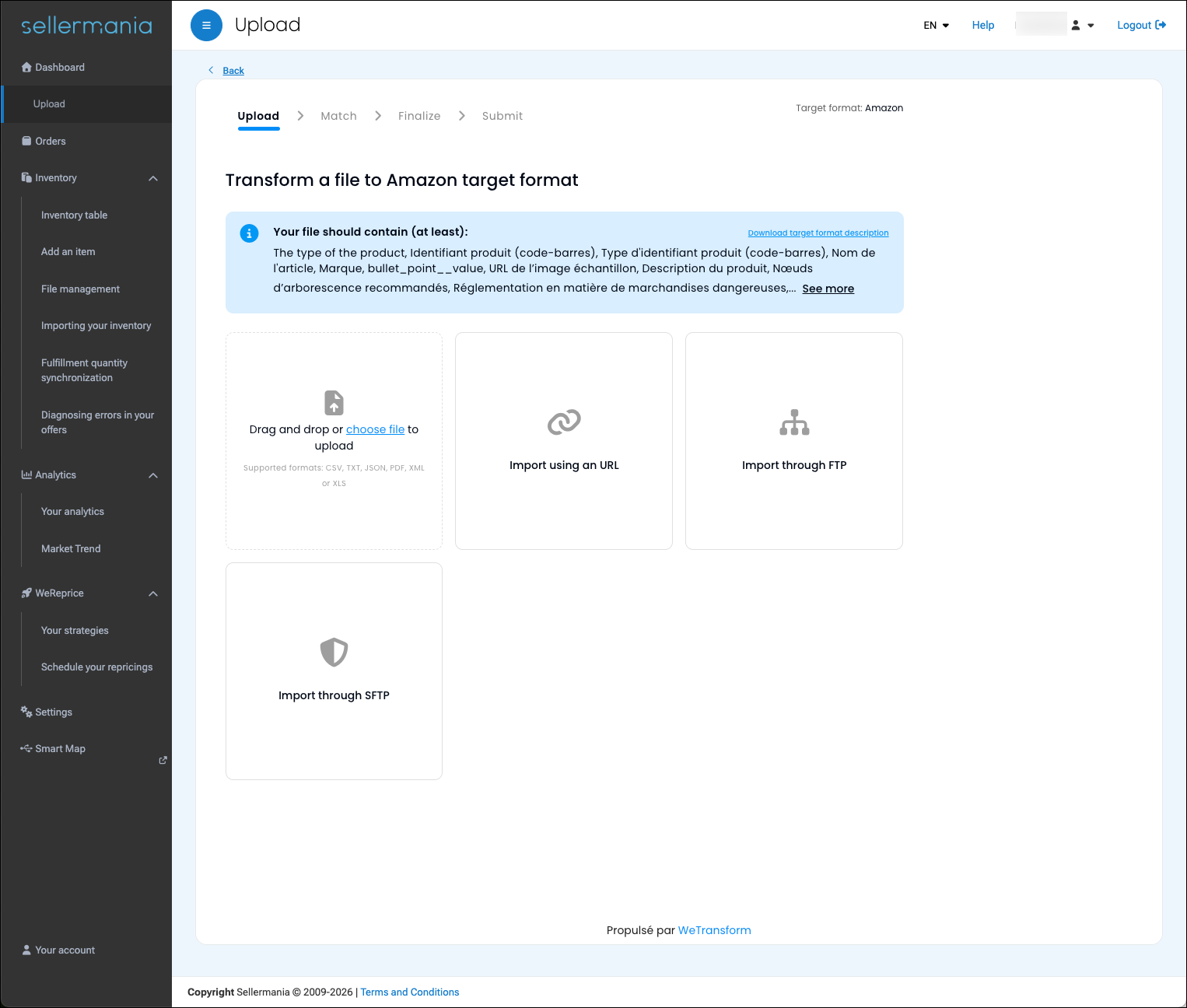
Your brand. Your interface. WeTransform behind the scenes.
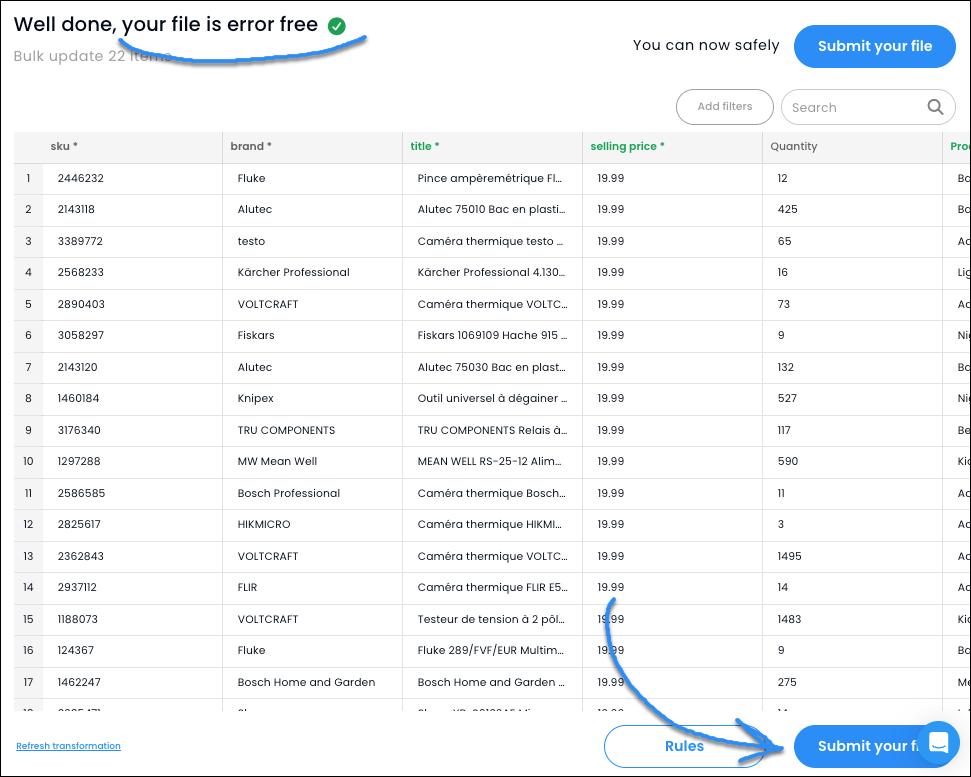
WeTransform is designed to disappear inside your product.
Your users interact with your interface. They see your logo, your colors, your flows. WeTransform runs silently behind the scenes, handling the complexity of format variation without exposing any of it to the user.
This means you can offer an import experience that feels native and polished, without building and maintaining the infrastructure that makes it possible. No import pipeline to engineer. No edge cases to handle. No technical debt accumulating every time a user sends an unexpected file structure.
“WeTransform runs silently behind the scenes.”
Simple to integrate
A few lines of code. No import pipeline to build.
import { createWeTransform } from '@wetransform/core' const sdk = createWeTransform({ organizationHandle: 'your_organization', locale: 'en', displayAsModal: true, initialLocation: 'transformations', authentication: { customerId: 'your_customer_id', signature: 'your_signed_payload', templateHandle: 'your_output_format_name', sourceId: 'your_source_file_name', },}) // Subscribe to the successSubmit eventsdk.on('successSubmit', (payload) => console.log('File successfully submitted', payload)) // Open WeTransformawait sdk.open() // Switch locale without remountingawait sdk.setLocale('fr') // Close or destroy sessionawait sdk.close()await sdk.destroy()This is an illustrative example. See the full SDK documentation for implementation details.
View @wetransform/core on npm →What it means for your product and engineering teams
For product teams, embedded data import is an onboarding accelerator. Users reach their first value moment faster, without the friction that typically causes drop-off during activation. Import stops being the step that slows everything down and becomes the step that sets a positive tone for the relationship.
For engineering teams, embedded data import removes a category of problems that typically consume disproportionate engineering time. Building import pipelines that handle every possible user format, maintaining them as formats evolve, handling errors and edge cases gracefully, this is complex, repetitive work that rarely makes it onto the product roadmap at the right priority. WeTransform replaces all of it with an API integration and a configuration layer.
And once embedded, your team operates everything in plain English. Formats, mappings, validation rules, exporters, workflows: WeTransform is driven by Walter, our AI agent, so the people who own the business rule also own the configuration.
Designed to scale with your user base
At ten users, format variation is manageable. One user sends Excel, another sends CSV, a third sends a slightly different CSV. Your team handles it. At a hundred users, it becomes a daily operational burden. At a thousand, it is impossible to handle without automation.
WeTransform handles format variation by design. Each format is configured once and reused. New variations are absorbed automatically within known patterns. Your user base grows without your data operations workload growing proportionally.
Not just upload. Not just integration.
File upload tools solve the first step: receiving the file. APIs solve the other end: receiving structured, predictable payloads. Neither solves the middle. What happens when the data you receive does not match what your system expects?
Embedded data import fills that gap. Users send what they have. Your system receives what it needs. WeTransform handles everything in between.
For B2B SaaS companies handling recurring client data, an embedded file importer is not an edge feature. It is the first real interaction between your product and your customer's data. Getting it right sets the tone for everything that follows.
File upload handles the file. ETL handles internal data. AI import management handles what comes in between.
Frequently asked questions
No. WeTransform is white-label by design. Your users interact with your interface and your brand. WeTransform runs behind the scenes without any visual exposure.
It handles CSV, Excel (clean and messy), PDF, JSON, XML, and more. Messy Excel files and PDFs go through Autoclean, AI-powered extraction, before the mapping step. Your users can send whatever format they work with.
Most integrations are completed in days. WeTransform provides an API and a configurable UI component that can be embedded into your product without building import logic from scratch.
WeTransform absorbs variations automatically within known patterns. For genuinely new formats, the mapping can be configured once in the interface and applied to all future files from that user.
Yes. File upload libraries handle the file transfer. WeTransform handles what happens to the data after the file is received, interpretation, mapping, transformation, and validation. They solve different problems.
See how embedded import works in action
Watch WeTransform handle format variation inside a product interface, in real time.